Creating an Account at Synngular
This guide will walk you through the process of creating an account.
Signup
- At Synngular platform click on Let’s Start button.
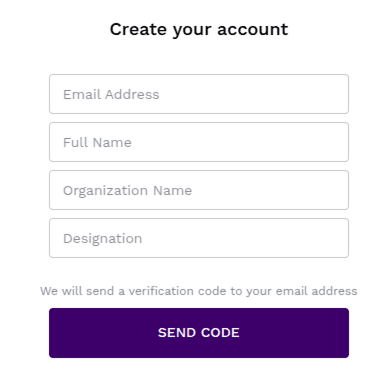
- Signup screen will appear.
- Register your self by providing the required details.
Email address Full Name Organization Name (Optional) Designation (Optional)
- Verify your account using the OTP (One-Time Password) sent to your given email.
- This step ensures account security and authenticity.
- After successfully signing up, you can start creating projects.
- For more details, refer to the Project Creation Guide.
- Visit the Synngular platform for signup.
Last updated on